What the panels produce
PV voltage and power right now, and the solar energy of the day.
Product
Smart home & Cloud
Ships within 3 working days · free cancellation until dispatch
For Home Assistant, Jeedom and Domoticz
Suntaic Hero and Rack inverters come without a supervision dongle. Suntaic Monitor plugs into their RS232 port and puts every figure from the inverter screen on your home Wi-Fi and, through the free Cloud, on your phone anywhere in the world.
Secure paymentFree cancellation2-year warrantyShipped from France

A classic monitor stops at a screen and an app. Suntaic Monitor sends every value to Home Assistant, Jeedom or Domoticz, so your home can act on it.
MQTT discovery builds the devices in Home Assistant, Domoticz and openHAB. No YAML to write.
Everything runs on your network, even with the internet down. No account needed.
The box only reads. No automation can change a setting of your equipment.
See it in Home AssistantJeedom, Domoticz and the others, step by step →
Your box arrives prepared and tested for your Suntaic model. No app, no driver, no tools, and not a single setting to change on your inverter.
The supplied cable goes into the RS232 port of your Suntaic inverter; USB-C into any phone charger.
Join the box’s Wi-Fi from your phone and pick your home network. No app to install.
Look at the dashboard from any browser, bring it into Home Assistant, then choose your alerts.
Pre-configured for your model
Suntaic Hero and Rack inverters, such as the 5500 W 48 V model found in many solar kits in Spain, Portugal and France, have a clear front display. You scroll through PV power, battery voltage, grid voltage, output, the split between battery charging and house consumption. The catch: you have to be standing in front of it, and nothing is recorded.
The idea for Suntaic Monitor came from a Suntaic owner who asked us exactly this: could the box we make for Pylontech batteries read his inverter too? The answer is yes. Suntaic Monitor connects to the free RS232 port of the inverter (the RS485 port stays with your battery), and shows the inverter’s data on its own screen, on a dashboard on your phone, and in Home Assistant. It never changes a setting.
PV voltage and power right now, and the solar energy of the day.
Battery charging versus house consumption, as the inverter splits it.
Grid voltage and frequency, output voltage, load power and percentage.
Battery voltage, charge and discharge current, level as the inverter sees it.
With the free Cloud, check your holiday home’s solar from anywhere in the world, with an alert if it stops reporting.
MQTT discovery and a local JSON API for your automations.
All values in Home Assistant or Jeedom within a minute or so, ready for your automations.
See solar, battery and grid from anywhere, and get an e-mail if the box goes silent.
Know when the battery is full and the panels have more to give: the moment for the washing machine or the water heater.
Follow your customers’ systems with your own Cloud access, without asking for their passwords.
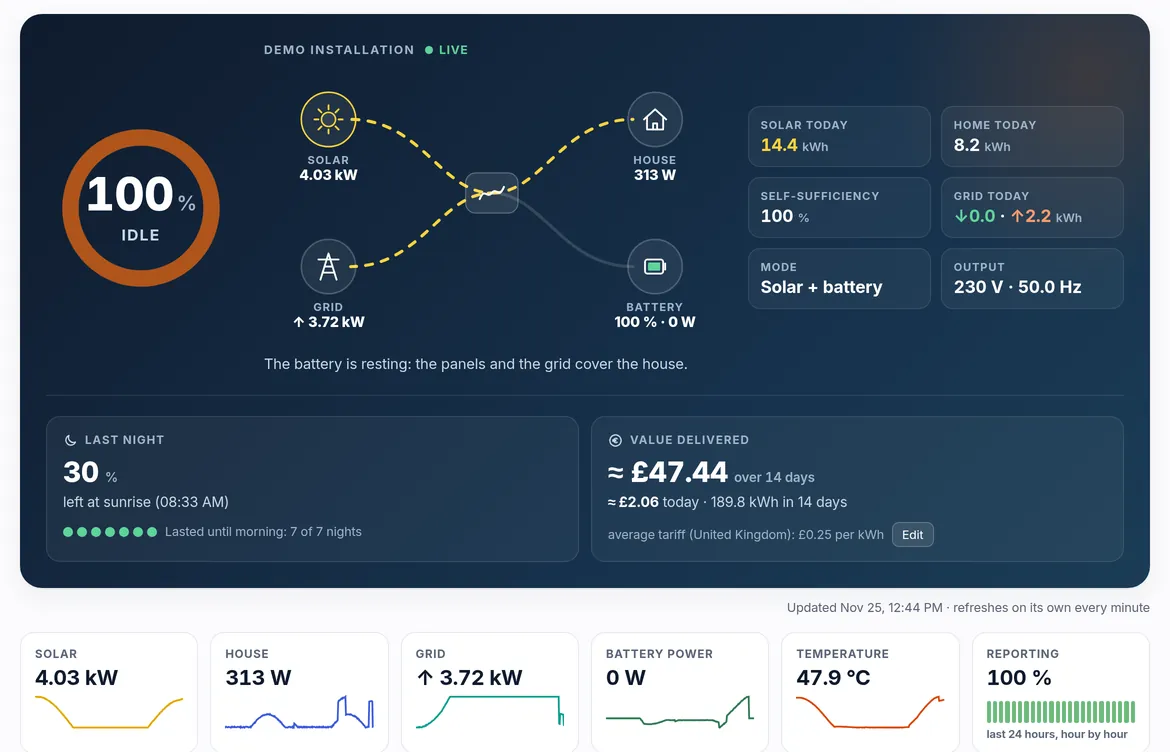
The inverter screen shows the present moment. The dashboard shows the whole day: the morning ramp of the panels, the midday plateau when the battery is full and power is left unused, the evening draw on the battery. After a week you know whether your kit is well balanced between panels, battery and consumption.
The free Cloud shows it from anywhere in the world and keeps up to three years of history, even when you are away.
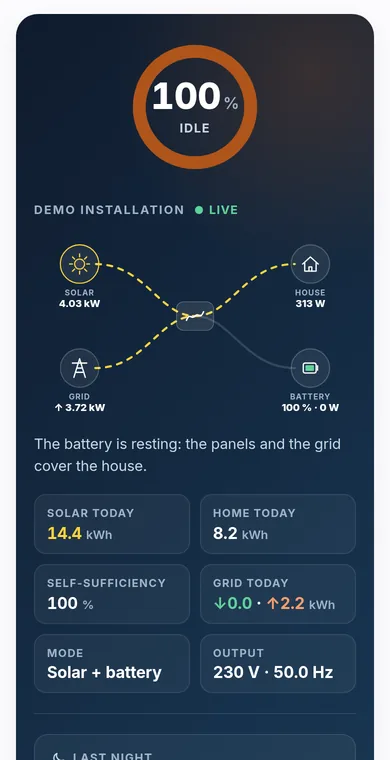
Pick a moment of the day: this is what Suntaic Monitor shows you, live, about your Suntaic system. Values simulated.
This is the real online dashboard, fed with simulated readings from a Suntaic inverter. Click around: no sign-up, nothing to install.
A Suntaic Hero or Rack inverter often runs a house where the grid is unreliable or absent. The free Cloud shows solar, load, grid and battery from wherever you are, with daily totals kept for three years.
Every reading of your inverter, refreshed on its own, on your phone.
Solar production, consumption, grid and battery, day by day.
Six hours without news from your box and we tell you.
Home Assistant, Node-RED, a widget… no port forwarding, no VPN.
Everything stored, ready for your spreadsheet.
Your installer gets a view of the system without your password, and your access stays yours.
Not compulsory. Prefer a 100 % local box? Leave the Cloud off; its switch is in the settings, available at any moment.
How the free Cloud works →PV power, load, output and grid voltage, battery voltage and today's solar energy become sensors, so your home can follow what the inverter is really doing.
When sensor.suntaic_monitor_grid_voltage drops to zero, Home Assistant tells you the house is on battery and switches the electric oven off on its smart plug.
Above 2000 W of PV with the battery charging, a relay powers the water heater; it stops when the charge current falls.
At sunset a notification gives you the day's solar energy, read from the inverter, next to yesterday's figure.
If the battery voltage is under 50 V at 20:00 on a 48 V system, the pool pump and the air conditioner stay off until sunrise.
Type the address of Home Assistant in the box, a user and its password: that’s it. The Suntaic Monitor device and all its sensors appear on their own, ready for your dashboards and the Energy page.
Battery SOC
78 %Last 24 hours
| Models | Suntaic Hero and Rack ranges (5500 W 48 V…) |
|---|---|
| Connection | RS232 port, RJ45 cable included |
| Your existing wiring | Untouched: the box reads, it never writes |
| Network | Your home Wi-Fi (2.4 GHz); works without internet |
| Integrations | Home Assistant (MQTT auto-discovery), JSON API, Jeedom, Node-RED, Domoticz, openHAB |
| Cloud | Free and optional: live dashboard, 3 years of history, CSV |
| Power | USB-C, under 0.5 W |
Your Suntaic model is not listed? Write it in the order form: the box is set up and checked for it before it ships.

Suntaic Hero and Rack inverters have an RS485 port, used to talk to the battery, and an RS232 port that is usually free. The box connects to the RS232 port with the supplied RJ45 cable and is powered by any USB charger; its colour screen shows the essentials.
It is the same hardware as Pylon-Monitor, which already communicates over RS232 with Pylontech batteries. The firmware for Suntaic is adapted to the inverter’s serial protocol.
Before shipping, every box is prepared and tested in France by the team behind Pylon-Monitor, the monitor for Pylontech owners.
Questions before buying? Write to contact@suntaic-monitor.com: a person answers.
Payment confirmed by e-mail, with your reference.
We set it up for your Suntaic inverter and test it before it leaves.
The tracking link reaches you by e-mail that very day.
Three steps, cable, USB-C and Wi-Fi, and the values are there.
€59.00
Shipping calculated at checkout
Ships within 3 working days · free cancellation until dispatch
What each option really gives you, in short.
| Inverter screen | Wi-Fi dongle and maker’s cloud | Suntaic Monitor | |
|---|---|---|---|
| Readable from anywhere in the world | — | ✓ | ✓ |
| Keeps working without internet | ✓ | — | ✓ |
| Home Assistant sensors without ESP32 or YAML | — | — | ✓ |
| A screen next to the equipment | ✓ | — | ✓ |
| Never changes a setting | — | — | ✓ |
Order Suntaic Monitor. Ships within 3 working days, tested on a Suntaic inverter.
Plug & play: working in about a minute